Start Here
First-Time Buyer's Guide
New to Autobid360? Follow this complete walkthrough, from exploring the inventory to enjoying your new vehicle and bid with total confidence.
01
Explore the Inventory
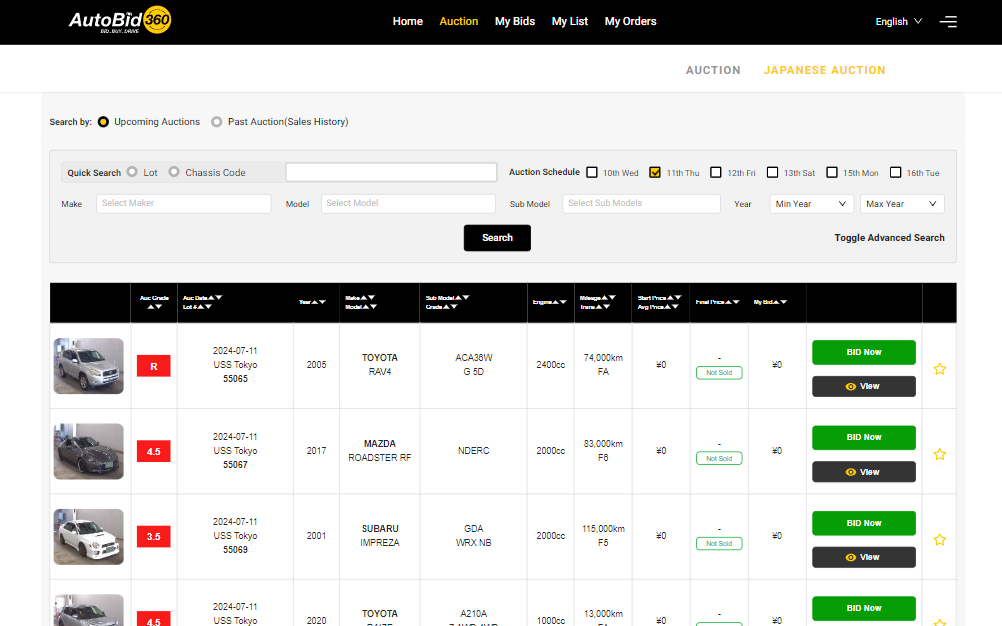
- Once logged into Autobid360, explore a diverse range of vehicles available for auction — over a million listings ranging from brand new to older models.
- Use search filters such as make, model, year, and auction grade to refine your search and find vehicles that match your preferences.
02
Research & Auction Sheets
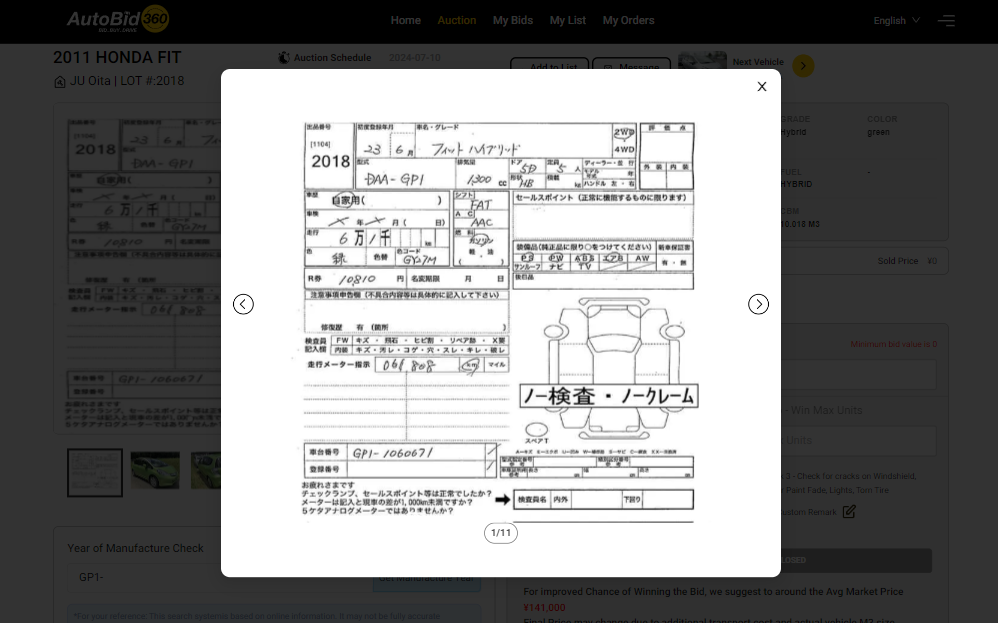
- Before bidding, thoroughly review the auction sheets provided for each vehicle.
- The auction sheet includes detailed info about the vehicle's condition, mileage, known issues, and the auction grade (e.g., Grade 3, Grade 2).
- Pay attention to the auction grade — it indicates overall condition and helps you decide.
- For more info, see our Auction Sheet Guide.
03
Set Your Budget
- Determine your budget, accounting for the bidding price, potential additional costs (import duties, shipping), and your financial capacity.
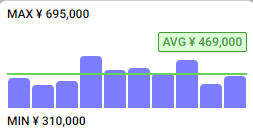
- Research past auction history for similar vehicles to gauge typical selling prices and set a realistic bidding limit.
- Avoid exceeding your budget to ensure a financially responsible purchase.
04
Place Your Bid
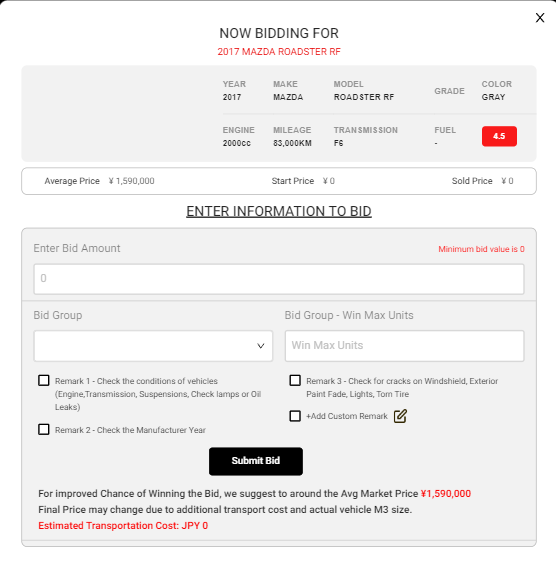
- Once you've identified a vehicle and completed your research, decide on the maximum amount you're willing to pay.
- Consider the vehicle's condition, market value, and your budget.
- Enter your bid — Autobid360 handles incremental bidding on your behalf based on market value and your specified limit.
Almost There
Completing Your Purchase
05
Monitor Your Bids
- Keep track of your bids through the Autobid360 platform.
- View the status of each bid (pending, approved, etc.) and receive notifications if you're outbid or successful.
06
Post-Bidding Process
- If your bid is successful, you'll receive notification and instructions on completing the purchase.
- Finalize payment securely through Autobid360's payment gateway or by bank transfer.
- Coordinate shipping or collection — Autobid360 assists in arranging transportation if needed.
07
Customer Support
- For any questions or issues during the process, contact Autobid360's customer support team.
- Use the multilingual support available to communicate effectively in your preferred language.
08
Finalize Documentation
- Ensure all necessary paperwork and documentation are in order according to your country's regulations.
- Keep records of your purchase, invoice, and shipping details for a smooth handover.
Enjoy Your New Vehicle
Once everything is finalized, enjoy your newly purchased vehicle! Make sure all paperwork and documentation are in order according to your country's regulations.